GUIDE MOBILE APP
CASE STUDY
GUIDE MOBILE APP
Facilitates communication and interactive learning
Teachers and Students App
Overview
UX/UI Designer
TIMELINE:
14 weeks
TOOLS USED:
Figma, Adobe Suite
Background
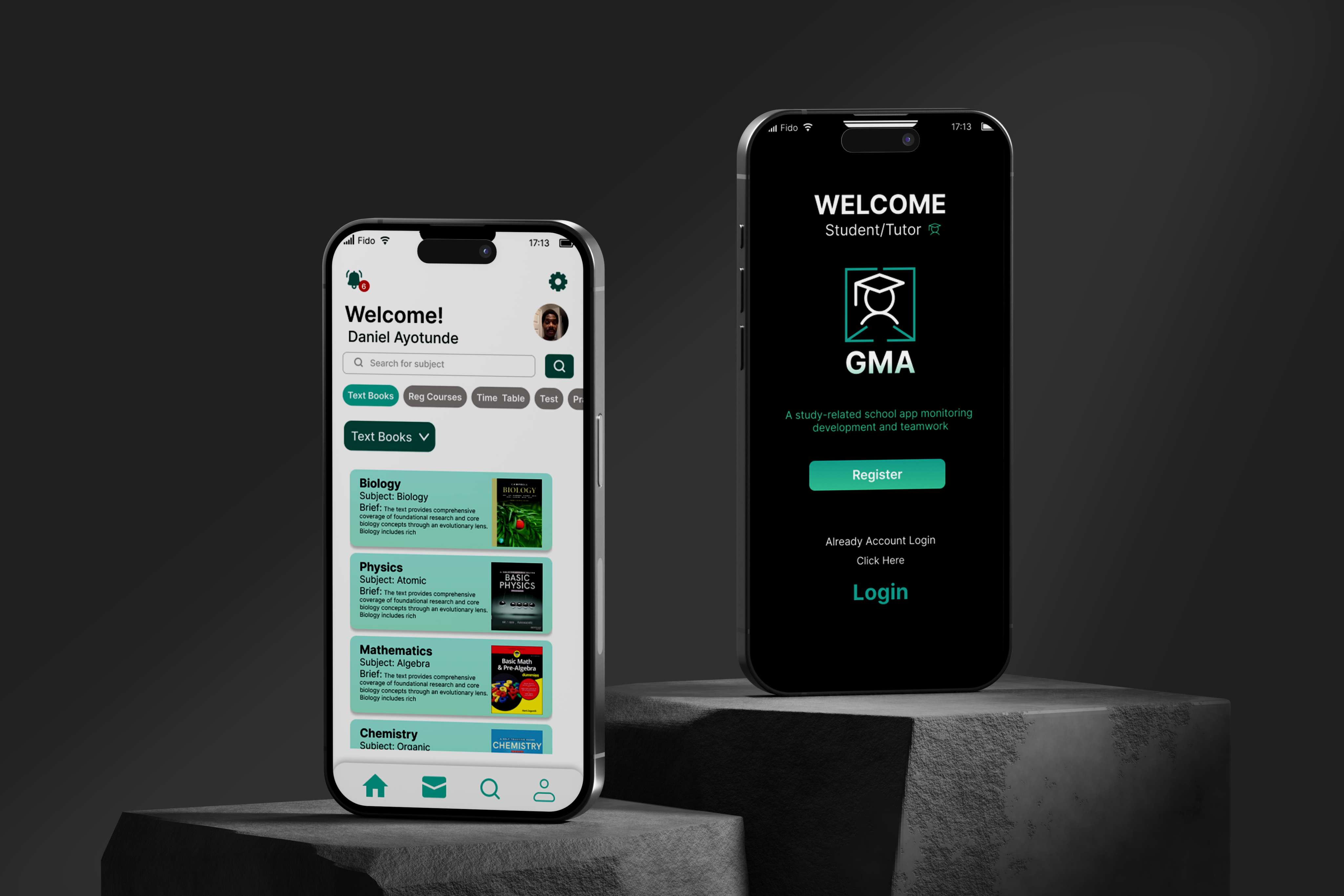
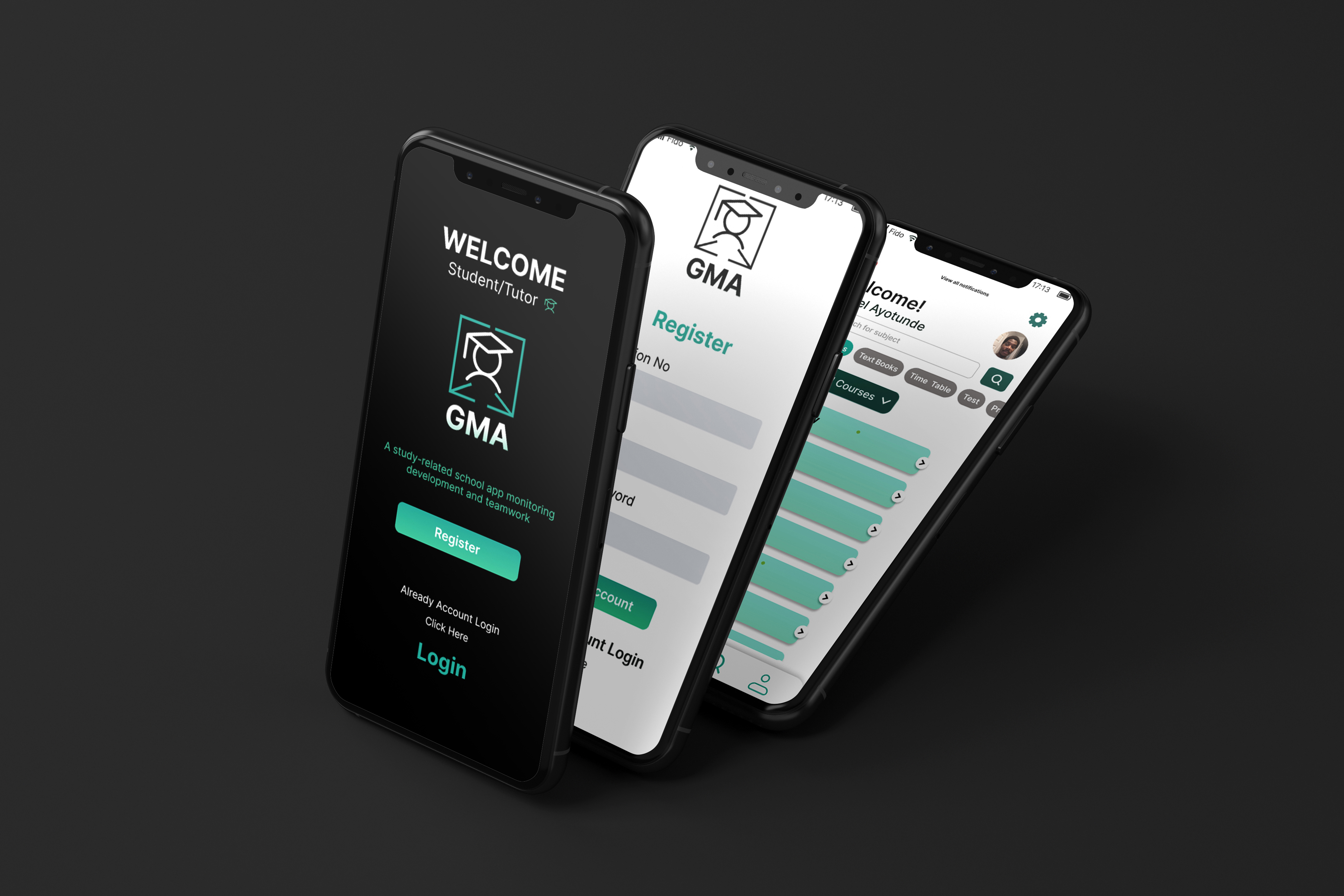
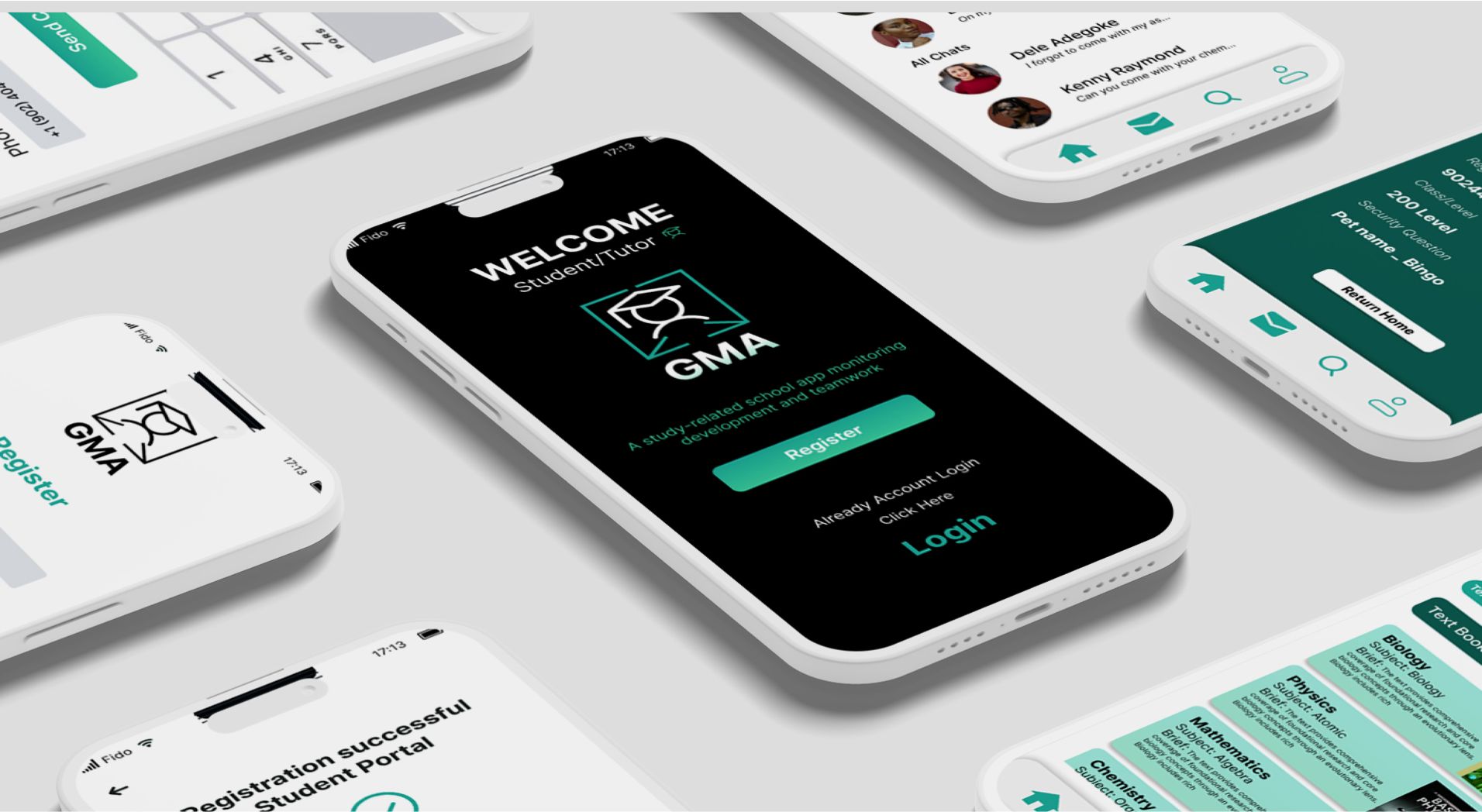
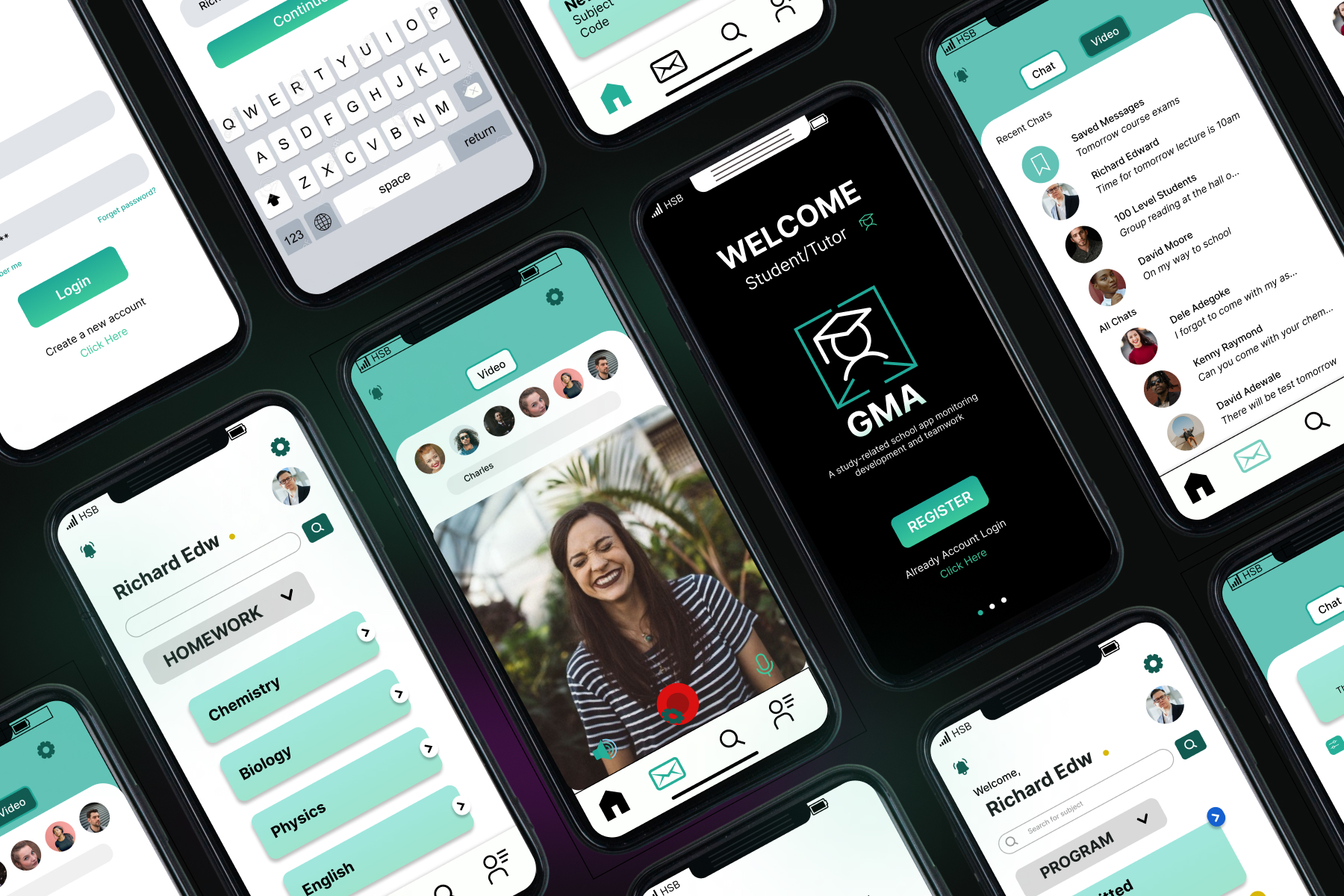
This mobile app guide (GMA) facilitates communication and interactive learning experiences for students and instructors. Through an intuitive user interface, users can access study resources, schedules, and tests. Real-time messaging and conversation tools streamline communication between students and tutors, enhancing the overall learning experience.
It would focus on the context surrounding the development of the mobile app guide (GMA). In this case, it would highlight the increasing importance of communication and interactive learning experiences in the realm of education. It might mention the growing reliance on digital tools and platforms to support both students and instructors in their academic endeavors.
Problem
The Mobile App Guide (GMA) seeks to tackle several key challenges prevalent in traditional educational settings. One such challenge is the inefficiency of communication between students and instructors. Conventional methods like email or limited office hours often result in delays in feedback, difficulty in seeking clarification, and challenges in coordinating group activities. This communication gap can lead to disconnection and reduced engagement among students, impeding their comprehension and academic progress. Moreover, accessing study resources and schedules dispersed across various platforms presents another hurdle. Students find it cumbersome to locate essential materials and manage their academic obligations effectively. Consequently, disorganization and missed deadlines become common, contributing to heightened stress levels. These issues collectively hinder the learning process for both students and instructors, impacting academic performance and satisfaction.
To address these challenges, the mobile app guide (GMA) aims to provide a comprehensive solution. By offering features such as real-time messaging, centralized resource access, and integrated scheduling tools, the app streamlines communication and enhances accessibility for students and instructors alike. Students can easily communicate with instructors, collaborate with peers, and access study materials and schedules from a single platform. Instructors, on the other hand, can provide timely feedback, support student learning needs, and foster a collaborative learning environment. This seamless integration of communication and resource management ultimately fosters a more engaging, efficient, and effective educational experience for all users, leading to improved academic outcomes and student satisfaction.
Project Goal
The project aims to address the challenges faced in traditional educational settings by developing a mobile app guide (GMA) that focuses on enhancing communication and interactive learning experiences for students and instructors. By providing an intuitive user interface, the app seeks to streamline access to study resources, schedules, and tests, thus enabling users to navigate their academic journey more efficiently. Through real-time messaging and conversation tools, communication barriers between students and tutors will be minimized, fostering a collaborative learning environment. Ultimately, the project seeks to improve the overall learning experience by facilitating engagement, collaboration, and effective communication within the educational ecosystem.

Step 01 - Empathize: Understand the user's needs.
To devise effective research approaches for the development of the mobile app guide (GMA), several methodologies could be considered:
User Surveys and Interviews: Conducted surveys and interviews with students, instructors, and educational institutions to understand their current challenges, preferences, and needs regarding communication and learning tools. This qualitative approach provides valuable insights into user requirements and expectations.
Usability Testing: Performed usability testing with a sample group of potential users to evaluate the effectiveness and ease of use of the app’s interface and features. This method helps identify any usability issues and gather feedback for iterative improvements.
Competitive Analysis: Conducted a thorough analysis of existing educational apps and platforms to identify their strengths, weaknesses, and key features. This helps in benchmarking against competitors and identifying opportunities for differentiation.
Prototype Testing: Developed prototypes or minimum viable products (MVPs) of the app and test them with users to gather feedback on functionality, design, and overall user experience. This iterative approach allows for early validation and refinement of the app’s concept.
Data Analytics: Implement analytics tools within the app to track user engagement, usage patterns, and performance metrics. Analyzing this data provides insights into user behavior and helps in optimizing the app’s features and content.
Literature Review: Conducted a comprehensive review of relevant literature, research papers, and industry reports on topics related to communication in education, mobile learning, and user experience design. This helps in understanding theoretical frameworks and best practices to inform the app’s development.
By employing a combination of these research approaches, developers can gain a deep understanding of user needs, preferences, and behaviors, which in turn guides the development process and ensures the creation of a mobile app guide (GMA) that effectively addresses the identified challenges and enhances the educational experience.
Step 02 - Define: Identifying and outlining user
needs and challenges.
The mobile app guide (GMA), persona development is crucial for gaining insights into the diverse range of students and instructors who will use the app. By creating personas like the one provided earlier, the development team can understand the specific challenges and goals of their target users. This enables them to design features and functionalities that cater to the unique needs of different user segments, ultimately leading to a more user-friendly and effective app.
Persona development also helps in humanizing the target audience and providing a clear reference point for decision-making throughout the design and development process. By referring back to the personas, the team can ensure that their decisions align with the needs and preferences of their users, ultimately increasing the likelihood of the app’s success in the market.
Overall, persona development is an essential step in creating user-centered products and services. By understanding their users on a deeper level, product teams can create experiences that are tailored to their needs, resulting in higher user satisfaction and engagement.
Step 03 - Ideate: Designing innovative solutions to
meet user needs
Helps generating and developing creative ideas to address the identified problem or challenge. In the context of the mobile app guide (GMA), ideation plays a crucial role in brainstorming innovative solutions that effectively meet the needs of students and instructors in the educational setting.
The ideation process for GMA involves several key steps:
Problem Identification: The first step in ideation is to clearly define the problem or challenge that the mobile app guide aims to solve. This may include issues such as inefficient communication, limited access to study resources, or challenges in managing schedules.
Research and Insights: Before generating ideas, it’s essential to gather insights through research, user interviews, and market analysis. Understanding the needs, preferences, and behaviors of the target audience provides valuable input for ideation.
Brainstorming: Brainstorming sessions are conducted to generate a wide range of creative ideas. Participants are encouraged to think outside the box and explore unconventional solutions to address the identified problem. Ideas can be captured through various methods such as mind mapping, sketching, or sticky notes.
Idea Selection: Once a diverse set of ideas is generated, they are evaluated based on criteria such as feasibility, impact, and alignment with user needs. Ideas that have the potential to effectively address the identified problem are selected for further development.
Prototyping: Selected ideas are translated into tangible prototypes or mockups that represent the proposed solutions. Prototyping allows stakeholders to visualize and interact with the ideas, providing valuable feedback for refinement.
Iterative Refinement: The ideation process is iterative, with continuous refinement based on feedback from stakeholders and user testing. Ideas are refined and iterated upon until they evolve into viable solutions that effectively address the identified problem.
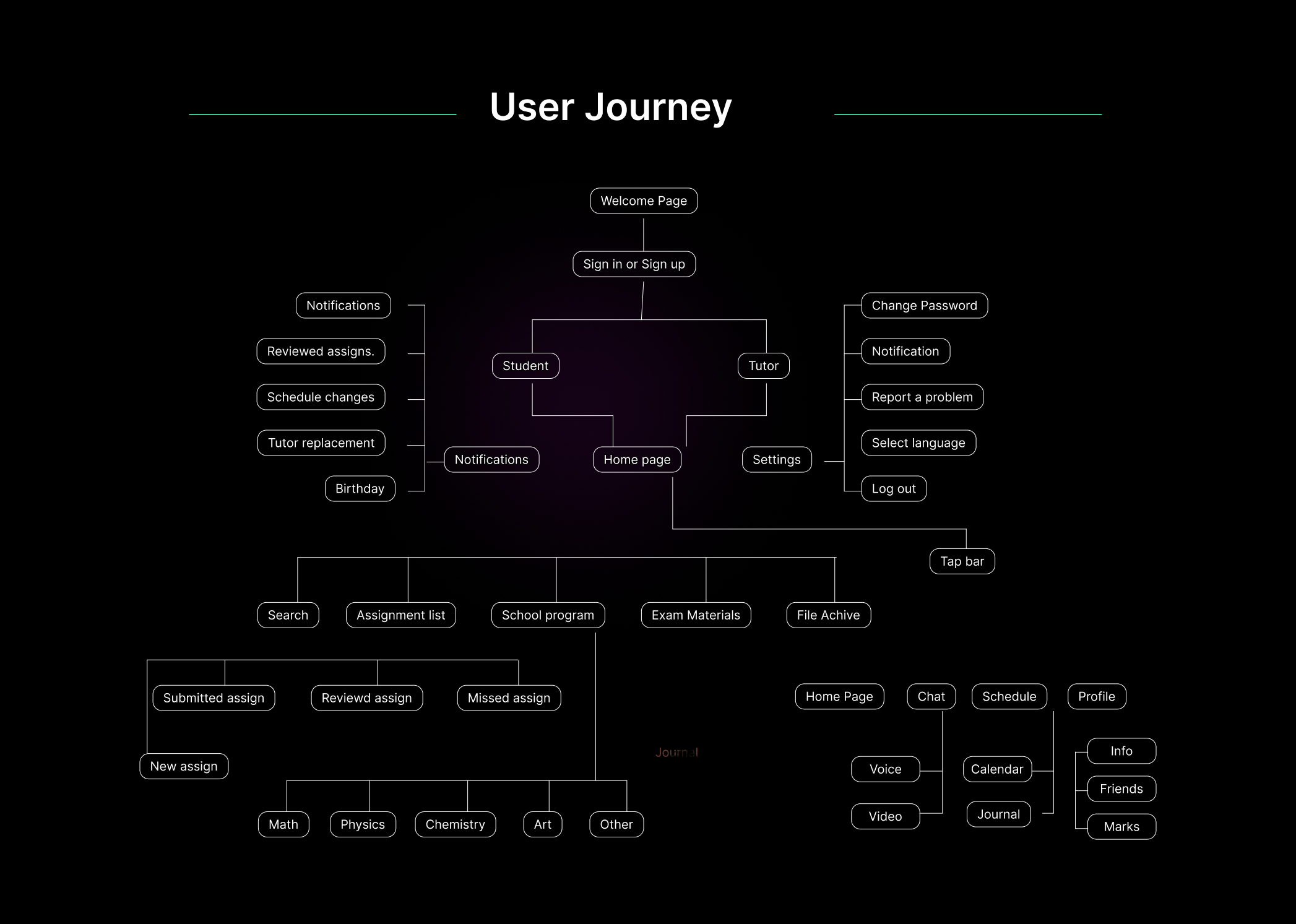
Step 04 - Prototype: Design implementation based on ideation frameworks
Identify Key Features: The app will begin with a secure user authentication process, allowing students and instructors to access personalized profiles tailored to their preferences and needs. Upon logging in, users will be greeted with a dynamic home screen, serving as a centralized dashboard displaying essential information such as upcoming assignments, notifications, and recent activity. This intuitive interface will offer quick access to commonly used features and resources, streamlining the user experience.
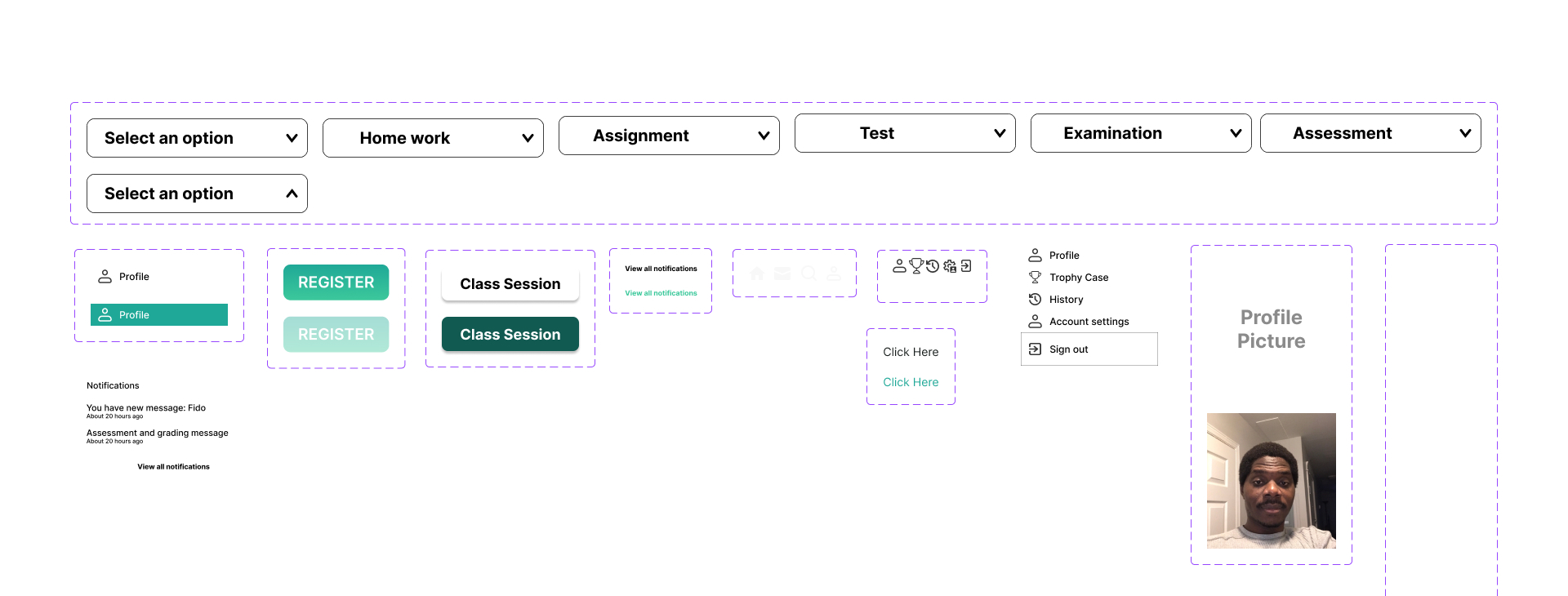
Low-fidelity wireframes: is a foundational step in the design process of the mobile app guide (GMA). These initial sketches serve as a rough blueprint, outlining the basic layout and structure of each screen in the app. By utilizing pen and paper or digital wireframing tools, designers can quickly translate ideas into visual representations, facilitating rapid iteration and refinement.
In this phase, the focus is on simplicity and clarity. Wireframes should convey the core functionalities and navigation flow of the app without getting bogged down in details. Elements such as buttons, input fields, and placeholders for text content are included to provide a basic framework for each screen. Additionally, rough layouts for key features like messaging, resource library, scheduling, and interactive learning tools are outlined to ensure a coherent user experience.
High-fidelity wireframes: These wireframes will include more detailed design elements such as typography, colors, icons, and interactive components, providing a polished representation of the app’s user interface.
Using Sketch, Adobe XD, or Figma, designers can translate the rough sketches into digital wireframes. With these tools, they can precisely define the visual aspects of each screen, ensuring consistency and coherence throughout the app.
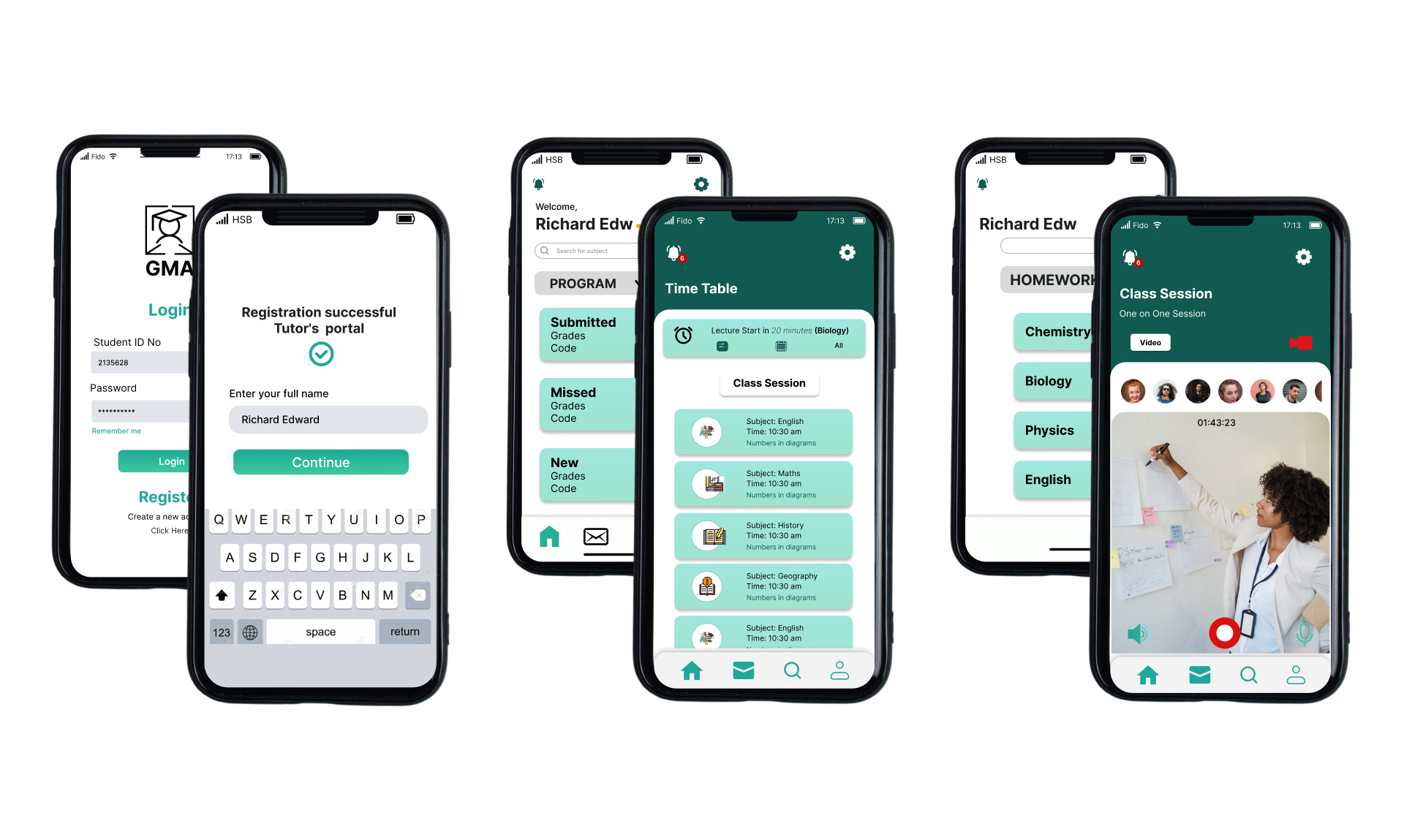
Usability testing is a crucial step in ensuring the effectiveness and user-friendliness of the mobile app guide (GMA). By inviting target users to interact with the prototype and complete predefined tasks, developers gain valuable insights into how the app performs in real-world scenarios. Observing users as they navigate through the app, express their thoughts aloud, and provide feedback allows developers to identify any usability issues, confusion, or areas where users struggle. This feedback is instrumental in refining the app’s design, navigation, and functionality to better meet the needs and expectations of its users. By iterating on the prototype based on the findings from usability testing, developers can create a more intuitive and engaging user experience, ultimately enhancing the app’s effectiveness and usability for students and instructors alike.